Connect a personal Hotmail or Outlook.com mailbox to Claude and ChatGPT
The Outlook connectors built into Claude and ChatGPT only accept work accounts. Your @hotmail, @outlook or @live address works with MailMCP, in 2 minutes, without giving your password.
Screenshots taken on October 18, 2026 with a demo account.
Short answer: the Microsoft 365 connector of Claude and the Outlook connector of ChatGPT require a work or school account; personal @hotmail.com, @outlook.com, @outlook.fr and @live.com addresses are refused. With MailMCP, add the mailbox, click "Sign in with Microsoft", accept on Microsoft's page, then add MailMCP as a connector in Claude or ChatGPT. Your AI can then read, sort and send from your Hotmail, attachments included.
What you need
- Your Hotmail, Outlook.com or Live address. Its password is typed on Microsoft's page only, never at MailMCP.
- A free MailMCP account.
- Claude (the free plan works) or ChatGPT with Developer mode.
Personal Outlook.com and Hotmail: who supports them?
| MailMCP | Claude (Microsoft 365) | ChatGPT (Outlook) | |
|---|---|---|---|
| Personal @hotmail, @outlook, @live account | YES | NO Work or school accounts only | NO Work or school accounts only |
| Send emails | YES | If a Microsoft 365 admin enables it | One at a time, each to approve (not in Europe or the UK) |
| Attachments when sending | YES | NO | NO |
| Several mailboxes | YES | One account | One account |
Sources: Claude Help Center and Microsoft Q&A (2026), MailMCP tests (October 2026).
Step by step
-
Email accounts → "Add a mailbox", type your Hotmail address
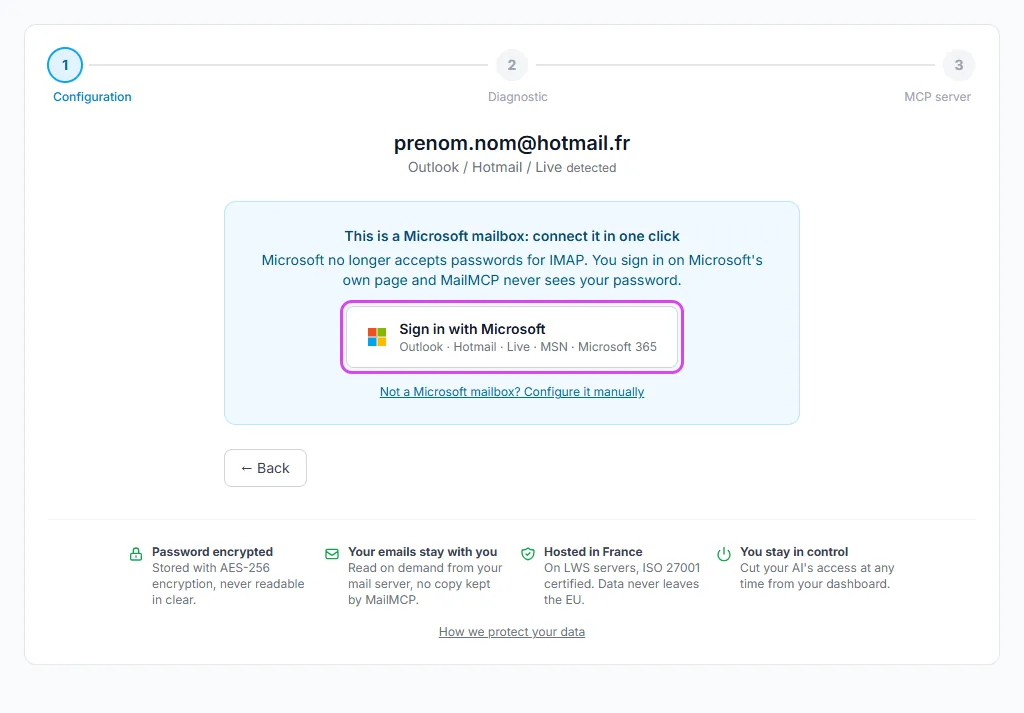
In your MailMCP dashboard, open Email accounts and click "Add a mailbox". Type your @hotmail, @outlook or @live address: MailMCP recognises a Microsoft mailbox and shows the "Sign in with Microsoft" button instead of a password field.
Tap the screenshot to enlarge it. -
Sign in on Microsoft's page and accept
Microsoft opens its own sign-in page: type your password there (and your code if two-step verification is on), then accept the access requested by MailMCP. Microsoft no longer accepts passwords or app passwords for IMAP: this is the only way, and MailMCP never sees your password.
Signed in to Microsoft with a work account in the same browser? Use a private window, otherwise Microsoft may pick that account instead of your Hotmail.
-
Your Hotmail is connected
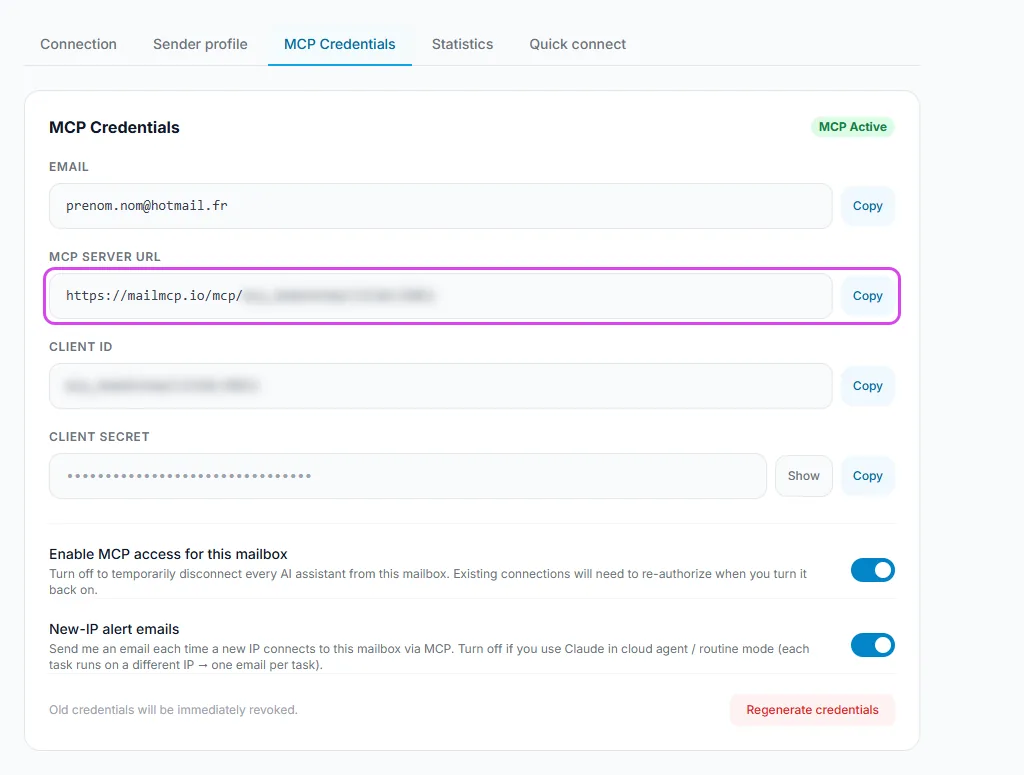
Back in MailMCP, the mailbox shows as connected and its page gives the MCP credentials: the server URL to give to your AI. Each mailbox has its own URL.
Tap the screenshot to enlarge it. -
Add MailMCP in Claude or ChatGPT
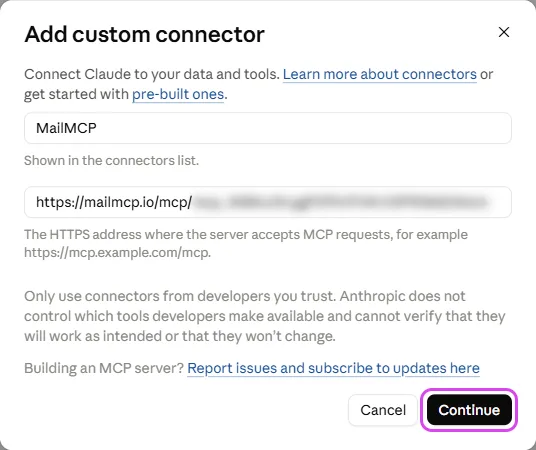
In Claude: Customize → Connectors → "Add custom connector", paste the server URL, then sign in. In ChatGPT: turn on Developer mode, then create an MCP app with the same URL. Both are detailed step by step in our illustrated guides.
Tap the screenshot to enlarge it. -
Ask your AI
Your AI calls MailMCP to read, sort or send. Every action is logged in your dashboard (MCP logs), and you get an email if a new IP uses your mailbox.
"Summarize my unread Hotmail emails from this week and move the newsletters to a Newsletters folder."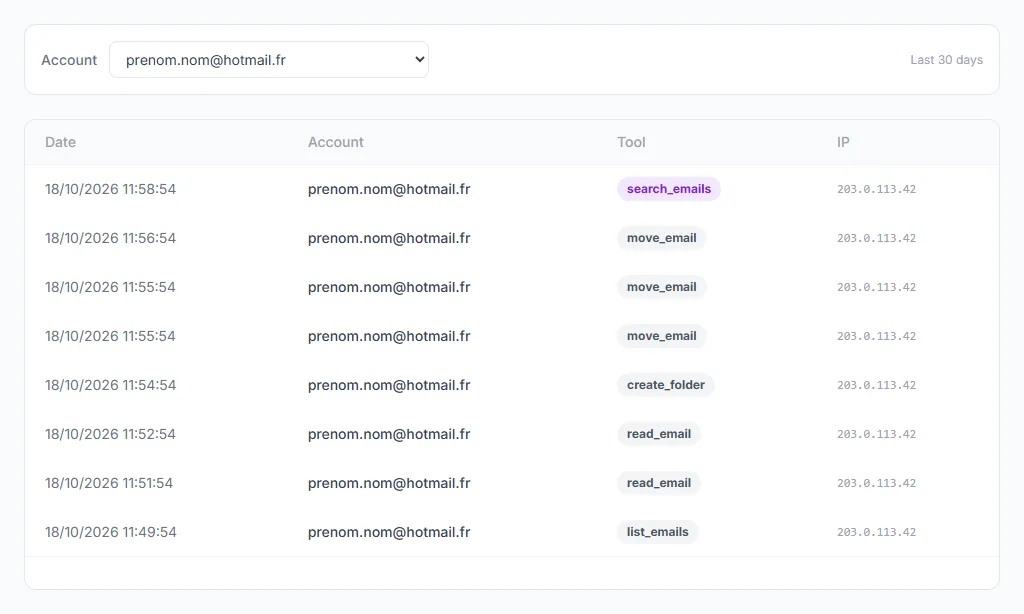
Tap the screenshot to enlarge it.
If it does not work
Claude or ChatGPT refuses my Hotmail address
That refusal comes from their own Microsoft connector, which only accepts work accounts. Use the MailMCP connector instead (step 4) and mention MailMCP in your request if both are on.
Microsoft asks for an administrator's approval
That does not happen with a personal Hotmail: you are probably signed in with a work account. Sign out of Microsoft or open a private window, then sign in with your Hotmail address.
Can I use my Hotmail password or an app password?
No. Microsoft has switched off password sign-in for IMAP and SMTP on Outlook.com, Hotmail and Live: only "Sign in with Microsoft" works.
Does it work with outlook.fr, hotmail.fr, live.fr or msn.com?
Yes, all personal Microsoft domains: outlook.com, outlook.fr, hotmail.com, hotmail.fr, live.com, live.fr and msn.com.
I have several Hotmail addresses
Add each one in MailMCP: each mailbox gets its own server URL, to add as a separate connector in your AI.
Other illustrated guides
Still stuck? A real person answers.
Tell us what you see on screen and we will look at your case — support is handled by the people who build MailMCP.
Contact support