Change your plan when you are already Pro
More calls per day, fewer, or a longer commitment for a lower price: you switch your current subscription yourself in a few seconds, without filling in a payment form again.
Screenshots taken on October 17, 2026 with a demo account.
Short answer: in Email accounts, click "Manage plan" on the Pro mailbox. Pick the daily volume (500, 1,000, 1,500, 3,000 or 6,000 calls) and the commitment (monthly, 12 months, or 24 months at 500 calls/day only), then click "Switch to this plan". Your subscription is updated in place: no new card entry, the new limit applies immediately and the price difference for the current period is charged right away.
What you need
- A Pro mailbox with an active subscription. The card already on file is used: nothing to type.
Step by step
-
Email accounts → "Manage plan" on the Pro mailbox
In the dashboard menu, open Email accounts and click "Manage plan" on the mailbox to change. Each mailbox has its own plan: with several Pro mailboxes, change each one from its own page. The "Increase or reduce quota" link leads to the same page.

Tap the screenshot to enlarge it. -
Your current plan is preselected
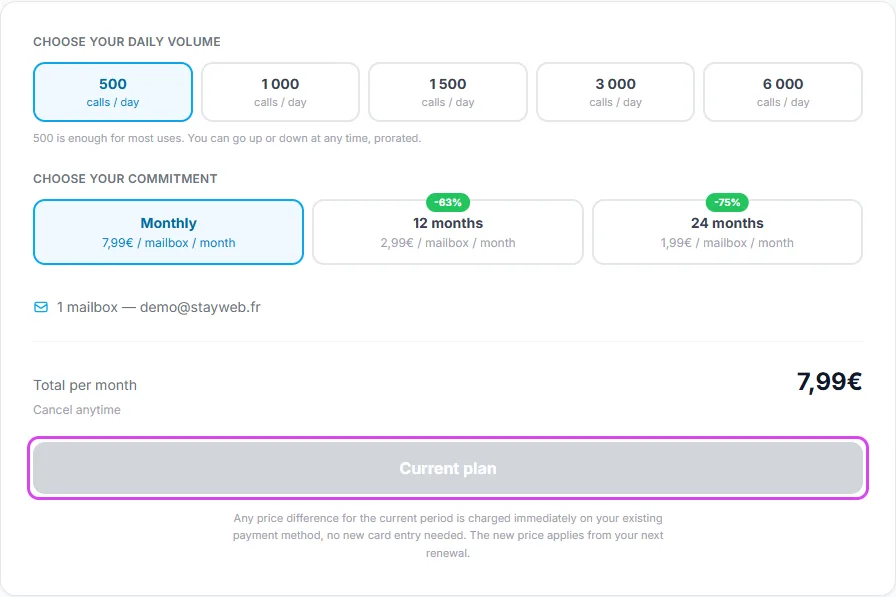
The page opens on your current volume and commitment. The button reads "Current plan" and stays grey as long as you have not chosen anything else.
Tap the screenshot to enlarge it. -
Choose the new daily volume
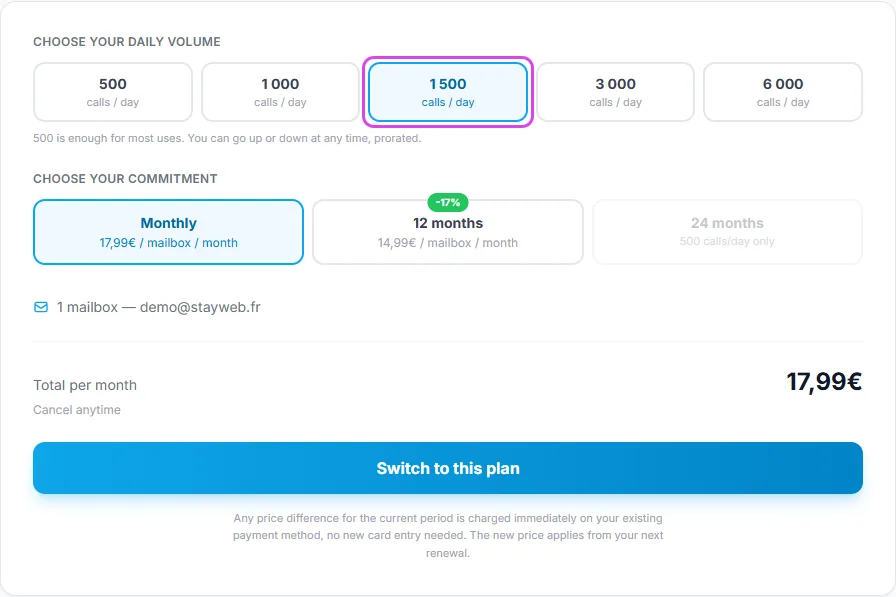
Click the volume you want: 500, 1,000, 1,500, 3,000 or 6,000 calls per day. Going down works too. The 24-month commitment only exists at 500 calls/day: with a higher volume, the page switches to 12 months.
Tap the screenshot to enlarge it. -
Choose the commitment
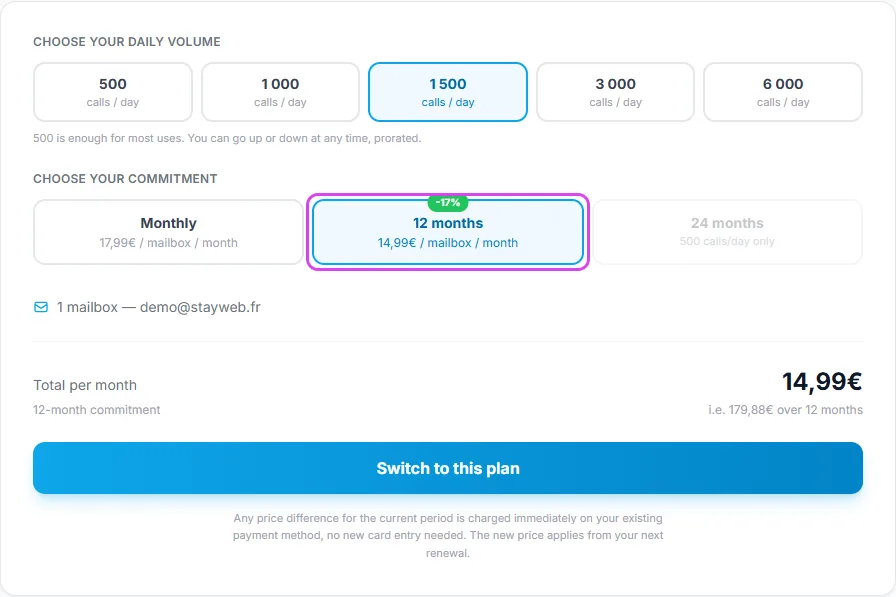
Monthly can be cancelled at any time; 12 and 24 months are paid upfront and cost much less per month. Check the total under the options: per month, and over the whole commitment.
Tap the screenshot to enlarge it. -
Click "Switch to this plan"
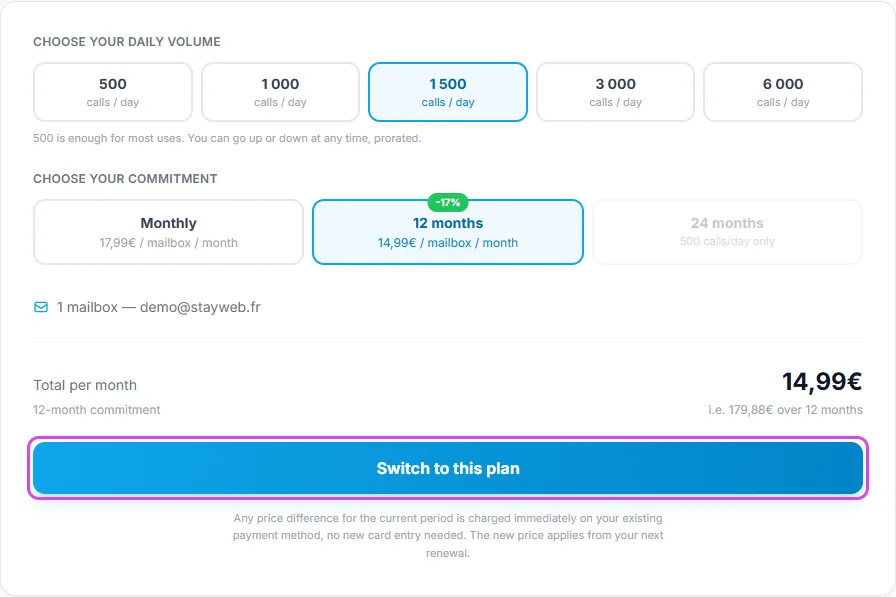
That is all: your subscription is switched in a few seconds and a green message confirms it. If a cancellation was scheduled on this mailbox, switching also cancels it.
Tap the screenshot to enlarge it. -
The new limit is active
Back in Email accounts, the mailbox badge shows the new plan and the counter shows the new daily limit. Your AI uses it right away: the server URL and the credentials do not change, nothing to reconnect.

Tap the screenshot to enlarge it. -
Subscribed in July or August 2026? "Move to this plan"
Subscriptions from our former pricing cannot be switched in place: the page says so and the button reads "Move to this plan". Tick the terms and pay the new plan; as soon as it is active, the old subscription is stopped and its unused part is refunded automatically, and an email confirms it.
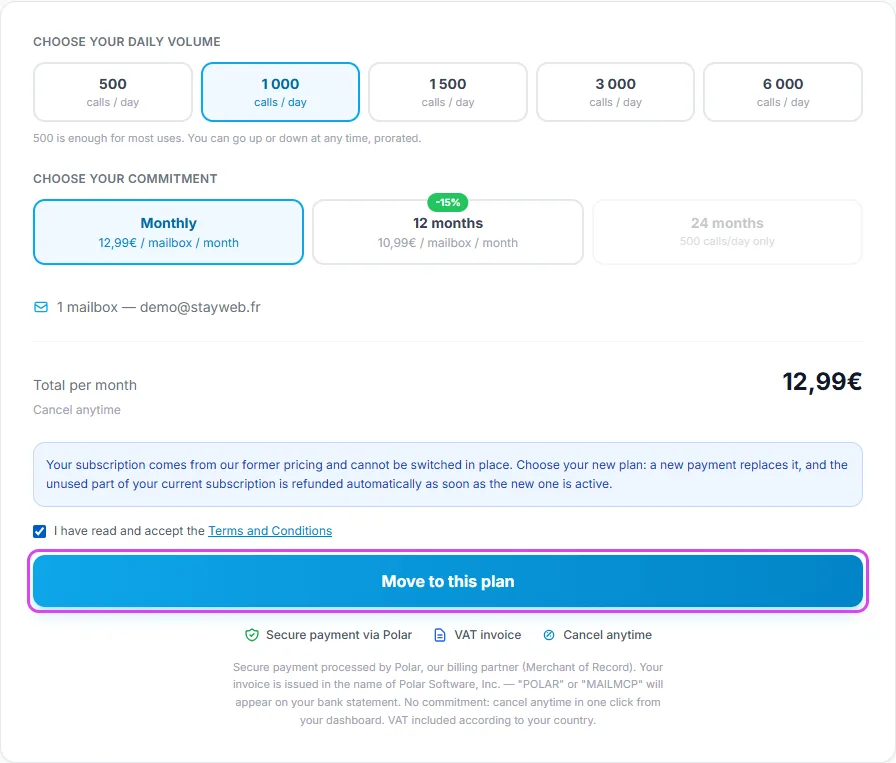
Tap the screenshot to enlarge it.
Questions about changing plan
What do I pay when I go up?
Only the difference for the rest of the current period, charged right away on your card, then the new price at each renewal. Example: switching from monthly (€7.99) to 12 months (€35.88 a year) in the middle of a month costs about €28 that day, because the unused part of the month is deducted.
And when I go down?
The lower price applies from now on. The period already paid is not refunded in cash: Polar, our billing partner, credits the difference to your customer account and deducts it from your next invoices.
When is the new limit active?
Immediately after the switch. Your AI does not need to reconnect: the server URL and credentials stay the same.
Can I change plan several times?
Yes, whenever you want, up or down. Each change is prorated the same way.
The "Switch to this plan" button stays grey
The selected volume and commitment are your current plan. Choose another volume or commitment.
I need more than 6,000 calls per day
6,000 calls per day per mailbox is the maximum. To go further, spread the load over several Pro mailboxes.
A message says the switch could not be done automatically
Nothing has changed on your subscription. Send us a message from Contact support with the mailbox concerned: we will look into it.
Other illustrated guides
Still stuck? A real person answers.
Tell us what you see on screen and we will look at your case — support is handled by the people who build MailMCP.
Contact support