Send emails from ChatGPT in Europe
The Gmail and Outlook connectors of ChatGPT do not send in the EU, the EEA, Switzerland or the UK. With MailMCP, added through Developer mode, ChatGPT sends from your own mailbox, wherever you are.
Screenshots taken on October 18, 2026 with a demo account.
Short answer: since June 2026, ChatGPT can send emails through its own Gmail and Outlook connectors, but this feature is not offered in the European Union, the EEA, Switzerland and the United Kingdom. MailMCP is a separate MCP server, hosted in France: add it in ChatGPT with Developer mode and ChatGPT sends from your mailbox, with attachments and scheduled sending, from any IMAP/SMTP provider.
What you need
- A free MailMCP account with your mailbox connected.
- ChatGPT with Developer mode turned on (Settings → Security and sign-in).
Sending from ChatGPT: native connector or MailMCP
| MailMCP | ChatGPT Gmail / Outlook connector | |
|---|---|---|
| Send from the EU, Switzerland or the UK | YES Hosted in France | NO Not offered there |
| Attachments when sending | YES | NO |
| Scheduled sending | YES | NO |
| Mailboxes | YES Any IMAP/SMTP mailbox | Gmail or Outlook |
Sources: OpenAI release notes (June 8, 2026), MailMCP tests (October 2026).
Step by step
-
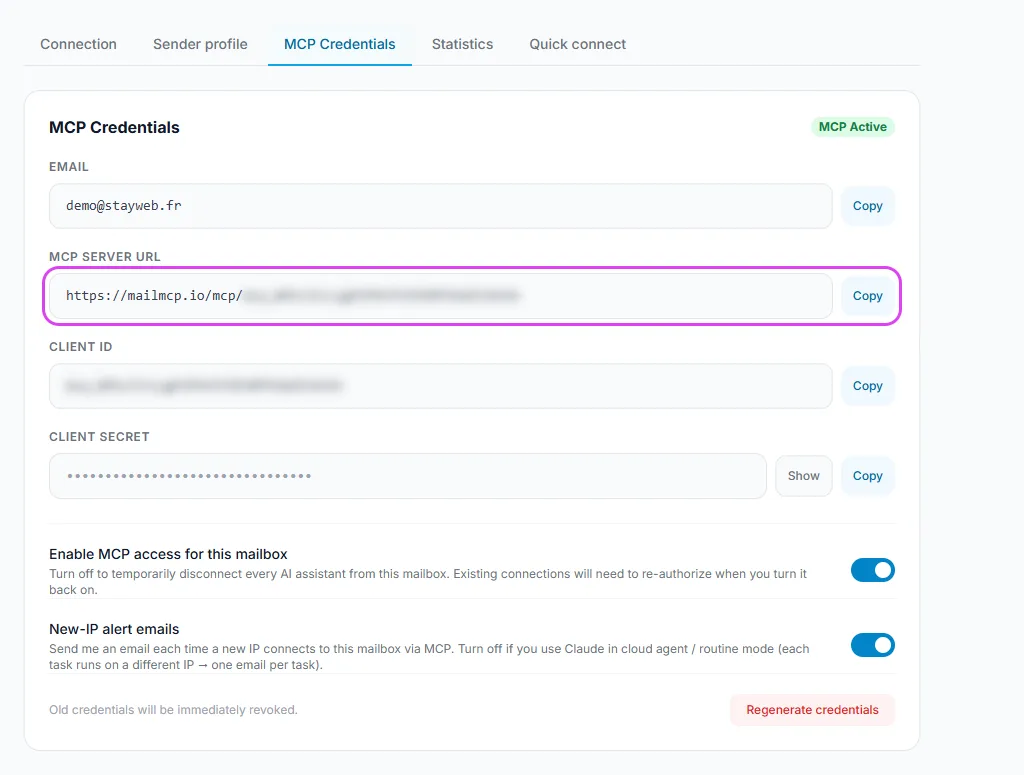
Copy your MailMCP server URL
In your MailMCP dashboard, open Email accounts and copy the connector URL of the mailbox to use. Each mailbox has its own URL.
Tap the screenshot to enlarge it. -
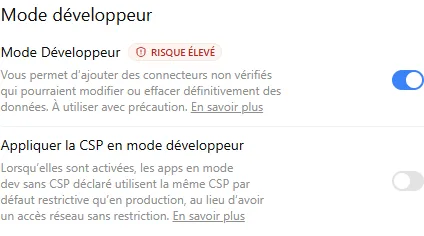
Turn on Developer mode in ChatGPT
Settings → Security and sign-in → Developer mode. Without it, ChatGPT does not let you add your own MCP server.
Tap the screenshot to enlarge it. -
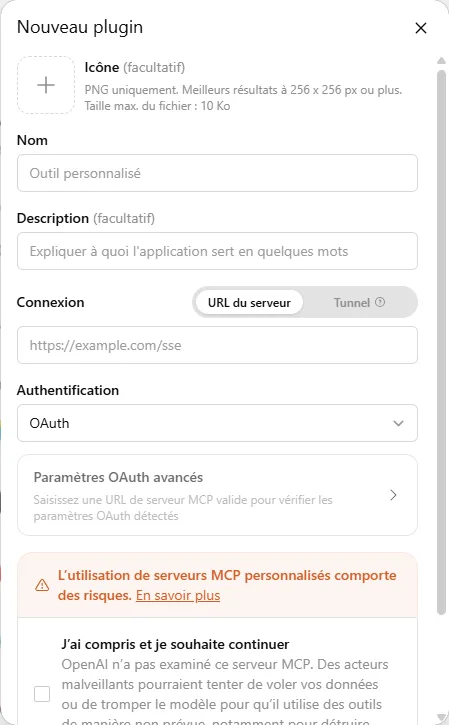
Create the MCP app with your URL
Plugins → "+" → Create an MCP app, paste the MailMCP URL, then sign in to authorise access. Our ChatGPT guide shows each screen.
Tap the screenshot to enlarge it. -
Ask ChatGPT to send
ChatGPT calls the send_email tool of MailMCP: the email leaves from your mailbox, in Europe like anywhere else. Depending on your ChatGPT settings, it asks you to approve the action first.
"With MailMCP, reply to Sophie that the meeting is moved to Thursday 10 am, and attach the agenda at this link."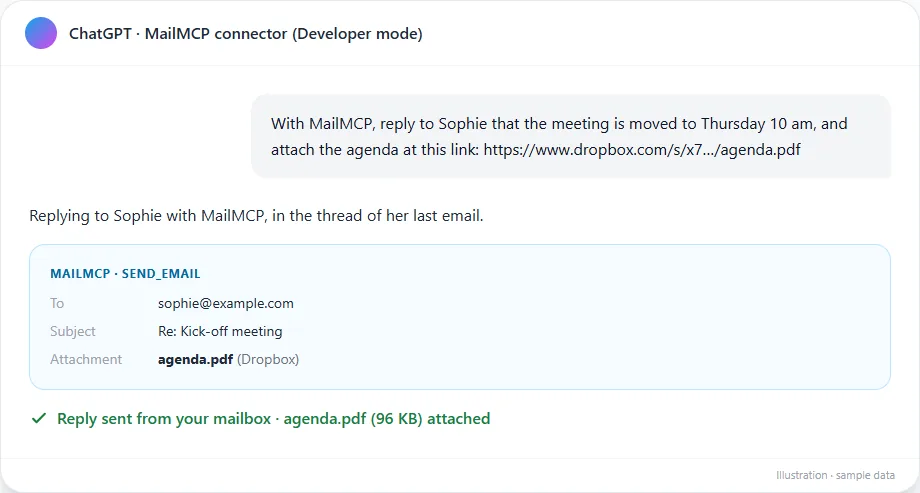
Tap the screenshot to enlarge it.
If it does not work
ChatGPT answers that sending is not available in my region
It is using its own Gmail or Outlook connector. Start your request with "With MailMCP", or turn the native connector off for this conversation.
I cannot find Developer mode
It is in Settings → Security and sign-in. Our illustrated ChatGPT guide shows where it is, screen by screen.
Does MailMCP keep a copy of my emails?
No. Emails are read on demand from your mail server; MailMCP is hosted in France and only logs the actions of your AI (tool, date, IP) so you can check them.
Other illustrated guides
Still stuck? A real person answers.
Tell us what you see on screen and we will look at your case — support is handled by the people who build MailMCP.
Contact support